
Paying for a TOP listing – or listing for free
With a TOP listing you can show up to 20 photos and get preferred placement. Here you can read how to pay for it, how to continue a cancelled payment – and how to list for free instead. Click the images to enlarge them.
Standard or TOP?
At the top of the form, under Listing selection, you choose:
- Standard listing – free: up to 8 photos, description up to 1,000 characters
- TOP listing – EUR 23.53 a year plus VAT (in Germany EUR 28 incl. 19% VAT; VAT depends on your country): up to 20 photos, preferred placement, highlighted display, description up to 5,000 characters, link to your own website
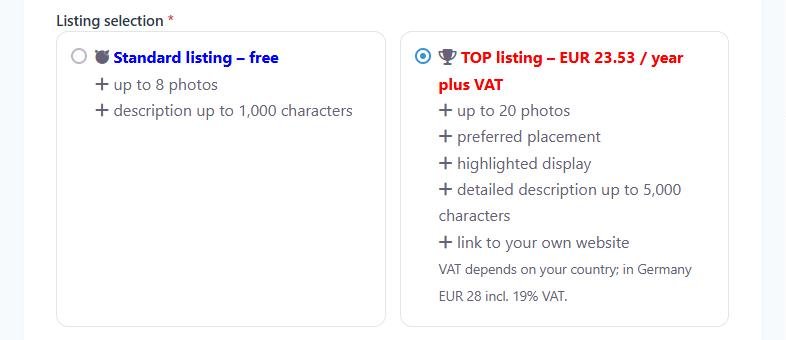
Paying for a TOP listing
After Submit Listing you are taken to the payment page, where you see the amount. Payment is made via PayPal – if you don’t have a PayPal account, you can pay there by credit card. After payment, your TOP listing is activated.
Would you rather pay by bank transfer? Write to us at info@fewo-tausch.de and we will send you our bank details.
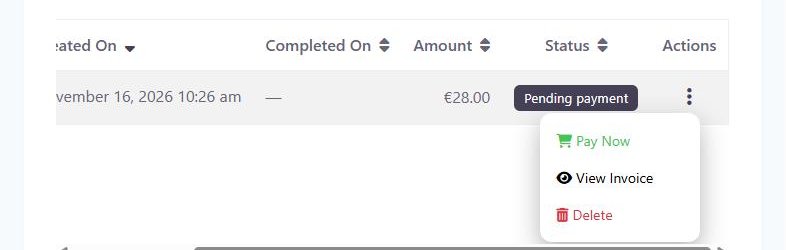
Payment cancelled? Here is how to continue
- Open your Dashboard and click Invoices. Your invoice is listed there as “Pending payment”.
- Click the three dots on the right (on a phone, swipe the table to the left first).
- Choose Pay Now – you will be taken back to the payment page.
Prefer a free Standard listing?
- Dashboard → click Edit next to your listing.
- At the top, under Listing selection, choose Standard listing – free.
- Click Submit Listing at the very bottom.
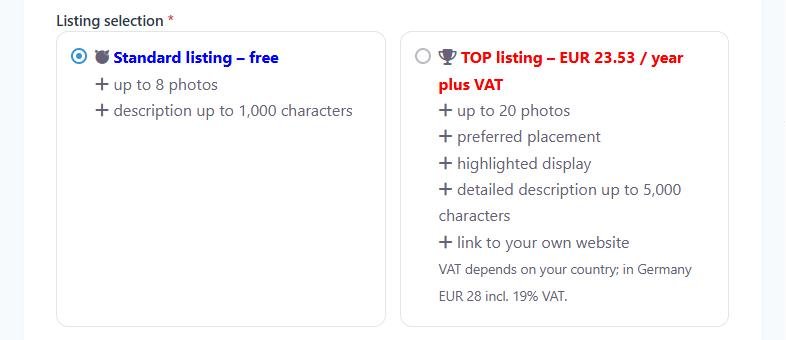
We briefly check the listing and then publish it. If you have uploaded more than 8 photos, delete the extra ones first.
Switching to TOP later
Under Dashboard → My Listings, click the three dots next to your listing and then Upgrade.
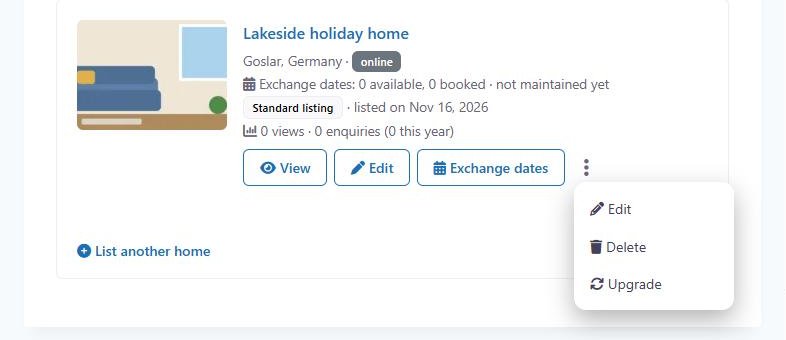
A TOP listing runs for 12 months. When it expires, your listing stays online as a Standard listing.
← All help topics · Still have questions? Contact us